The 30-Second Summary
- Integrating a payment gateway takes three stages: choose a provider and create an account, connect it via API or hosted payment pages, and add payment forms to your site.
- Customise the payment forms to match your website so checkout feels consistent for customers.
- Test everything in the provider’s sandbox before going live, and make sure the setup meets PCI DSS security requirements.
In the previous article, we looked at ways to create a payment gateway for iGaming. In this piece, let’s take the next step – determine how to integrate such a payment gateway.
Integrating a payment gateway is crucial for online businesses as it ensures secure, efficient, and seamless transactions. Payment gateways bridge customers and merchants, enabling the smooth transfer of funds during online purchases.
With the growing reliance on digital payments, the demand for secure and efficient online payment solutions is at an all-time high. . According to Statista, the total transaction value in the digital payments market is projected to reach $37.45 trillion in 2026. This statistic highlights businesses’ need to integrate secure payment gateways to stay competitive and meet customer expectations.
What is a Payment Gateway?
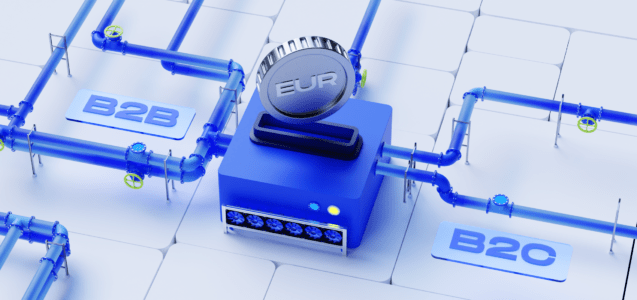
A payment gateway is a technology that facilitates the processing of online payments for e-commerce businesses. It acts as an intermediary between the merchant’s website and the financial institution, ensuring the transaction is authorized securely and efficiently.
The core functions of a payment gateway include:
- Authorizing Payments. Verify and approve the transaction between the customer and the merchant.
- Encrypting Transaction Details. Ensuring that sensitive information, such as credit card details, is securely encrypted during the transaction process.
- Facilitating Fund Transfers. Handling the transfer of funds from the customer’s bank account to the merchant’s account.
Steps to Integrate a Payment Gateway into Your Website
1. How to Set Up Payment Gateway on the Website
Choose the Right Payment Gateway
Selecting the best payment gateway ensures a smooth and efficient payment process. Several factors should be considered to make the right choice:
- Transaction Fees. Different gateways charge varying fees per transaction. Understanding these costs and how they will impact your business’s bottom line is essential.
- Supported Payment Methods. Ensure the gateway supports popular payment methods with your customer base, such as credit/debit cards, digital wallets, and bank transfers.
- Customer Support. Good customer support is vital for resolving any issues that may arise quickly. Check if the provider offers 24/7 support and multiple contact options.
- Security Features. Look for gateways with robust security features like PCI DSS compliance and fraud detection tools to protect your customers’ data.
- Integration Options. Consider the ease of integration with your existing website and systems. Some gateways offer plugins for popular e-commerce platforms, simplifying the integration process.
Create an Account
Once you have chosen a payment gateway provider, the next step is to create an account with them. This process typically involves:
- Signing Up. Visit the payment gateway provider’s website and sign up for an account. Please provide basic information such as your name, email address, and business details.
- Verification. Complete any verification steps required by the provider. This could include verifying your email address and providing documents to prove your business identity.
- Configuration. After your account is set up, you’ll need to configure it by adding your business details, setting up your bank account information for receiving payments and customizing any settings specific to your business needs.
2. Website Payment Integration
API Integration
Integrating the payment gateway API into your website’s backend is a critical step that enables your site to process transactions.
This involves:
- Following Documentation. Payment gateway providers offer detailed documentation to guide you through the integration process. Follow these instructions carefully to ensure everything is set up correctly.
- Coding. Implement the provided code snippets into your website’s backend. This will typically involve setting up endpoints for transaction requests and handling responses.
- Testing. Use the sandbox environment provided by the gateway to test your integration. This helps ensure that transactions are processed correctly and that there are no errors in your implementation.
Hosted Payment Pages
An alternative to API integration is using hosted payment pages. These are web pages hosted by the payment gateway provider where customers enter their payment details. This method involves:
- Customizing Pages. Customize the hosted payment pages to match your website’s branding, ensuring a seamless user experience.
- Redirecting Customers. During checkout, redirect customers to the hosted payment page to complete their payment securely.
- Receiving Payment Confirmation. After the transaction is processed, the customer is redirected back to your website, and you receive a payment confirmation.
3. Add Payment Gateway to the Website
Embed Payment Forms
Embedding payment forms directly on your website allows customers to enter their payment details without leaving your site. This process involves:
- Using Code Snippets. Payment gateway providers supply code snippets to embed in your website’s HTML. These snippets create secure forms for collecting payment information.
- Secure Handling. Ensure the forms are set up to handle data securely, using encryption and secure connections (HTTPS).
Customization
Customizing the payment forms to match your website’s design and branding is crucial for maintaining a consistent user experience. This can be done by:
- Styling Forms. Use CSS to style the payment forms to blend seamlessly with your website’s design. This includes adjusting colors, fonts, and layout.
- Adding Branding Elements. Incorporate your logo and other branding elements to make the forms recognizable and trustworthy to your customers.
- Enhancing Usability. Ensure the forms are user-friendly, with clear instructions and intuitive design, to facilitate a smooth payment process.
By following these steps, you can effectively integrate a payment gateway into your website, enhancing the payment experience for your customers and ensuring secure, efficient transactions.
Security Measures and Compliance for a Payment Gateway
Ensuring robust security measures and compliance is paramount when integrating a payment gateway. It protects your business and customers and builds trust and credibility. Here are critical security and compliance practices to consider:
PCI DSS Compliance
Compliance with Payment Card Industry Data Security Standards (PCI DSS) is crucial to protect cardholder data and prevent security breaches. Ensure that your payment gateway provider is PCI DSS compliant.
Fraud Prevention
Implement advanced security features such as 3D-Secure (3DS) and encryption to safeguard transactions and prevent fraud.
KYC and AML
Know Your Customer (KYC) and Anti-Money Laundering (AML) regulations add an extra layer of security. These measures help verify customers’ identity and monitor transactions for suspicious activities.
Adhering to these security measures and compliance requirements will significantly enhance the safety and reliability of your online transactions.
Testing and Go-Live
Before launching your payment gateway integration, thorough testing is essential to ensure everything functions correctly. This process helps identify and resolve potential issues in a controlled environment.
Sandbox Environment
Before going live, use the sandbox environment the payment gateway provides to test the integration. This helps identify and fix any issues in a controlled setting.
Troubleshooting
Address common issues such as transaction failures and integration errors. Ensure that all components of the payment gateway are functioning correctly.
Go-Live Checklist
Before launching your integration, ensure everything is set up correctly with this comprehensive go-live checklist:
- Verify API connections.
- Test payment forms.
- Check hosted payment pages.
- Security compliance.
- Sandbox testing.
- Verify payment methods.
- Review KYC and AML procedures.
- Check transaction logs.
- Set up notifications.
- User experience testing.
- Backup and recovery.
- Final review and approval.
- Ensure all API endpoints are correctly configured.
- Test API calls to confirm successful communication between your website and the payment gateway.
Completing this go-live checklist will help ensure a smooth and successful launch of your payment gateway integration, providing a secure and efficient payment experience for your customers.
Best Practices for Managing Payment Gateways
Effective payment gateway management is crucial for maintaining smooth operations and providing a positive customer experience. Here are some best practices to follow:
- Monitoring Transactions. Regularly monitor transactions for any irregularities. This helps identify and address issues promptly.
- Customer Support. Provide prompt customer support to address payment-related issues and inquiries. This enhances customer satisfaction and trust.
- Updates and Maintenance. Keep the payment gateway updated with the latest security patches and features. Regular maintenance ensures smooth and secure transactions.
Adhering to these best practices ensures that your payment gateway operates efficiently and securely, contributing to overall business success.
Conclusion
Integrating a payment gateway into your website is essential for secure and efficient online transactions. Following the steps outlined above, businesses can enhance their payment processes and provide a better user experience.
Create your PayDo Business account today to enhance your online payment processe.